
Open Source, my eyesticķ conversation with duck Oct 20 2026...ed (some text was copied twice, working on it :)
Anonymized by DuckDuckGo. Zero provider visibility. No AI training. Learn more This is a copy of a shared chat.
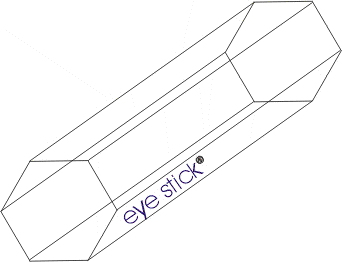
You said: If ai is used for web navigation there will be security concerns. The eyestick is a 2 drive pen drive. One drive for fun low security and one for the highest security. How would you do this.
Duck.ai said: To implement a security system based on a dual-drive hardware token like the Eyestick, you would move the "source of truth" for permissions from the software to the physical hardware. This creates a physical air-gap for permissions: the AI cannot "convince" the system to grant it more power because the power is determined by which physical drive is mounted. You would start by creating a local "Gatekeeper" application that runs on the operating system and monitors USB mounts. Each side of the Eyestick would contain a cryptographically signed configuration file. The "Fun" drive would contain a policy allowing broad actions, such as clicking any button, filling out forms, and accessing cookies. The "Security" drive would contain a restrictive policy that limits the AI to "read-only" mode—allowing it to summarize pages or find information, but blocking it from clicking "Submit," "Buy," "Delete," or entering any text into a field. The AI agent would not be allowed to execute commands directly on the browser. Instead, every intent (e.g., "Click the Login button") would be sent to the Gatekeeper. The Gatekeeper checks which Eyestick drive is currently active. If the "Security" drive is plugged in and the AI attempts a "write" action (like clicking a button), the Gatekeeper would intercept and block the command, returning an error to the AI: "Action forbidden in High Security mode." To make this even more robust, you would use environment isolation. When the "Fun" drive is detected, the agent operates in a standard browser profile. When the "Security" drive is detected, the Gatekeeper could trigger a completely different browser instance—perhaps a hardened, sandboxed version with no saved passwords, no cookies, and a disabled JavaScript engine for sensitive domains. This ensures that even if the AI is compromised by a "prompt injection" attack from a malicious website, it cannot access your secure sessions because those sessions only exist when the High Security drive is active and the agent's permissions are stripped.
Finally, you would implement a "Human-in-the-Loop" requirement for the High Security drive. While the "Fun" drive might allow the AI to navigate autonomously, the "Security" drive would require a manual physical confirmation—such as a button press or a specific USB re-insertion—before any high-risk action is permitted. This transforms the Eyestick from a simple storage device into a physical security key that governs the AI's agency.
You said: I am thinking no ai for the security drive
Duck.ai said: If you remove the AI entirely from the security drive, the Eyestick becomes a physical kill switch for the AI's existence on your system. You would configure your operating system to treat the two drives as distinct authorization keys. When the "Fun" drive is inserted, it unlocks the encrypted partition containing the AI agent, its API keys, and the browser extensions required for it to navigate the web. In this mode, the AI is an active participant in your browsing. When you switch to the "Security" drive, the system would trigger a complete teardown of the AI environment. A Gatekeeper application would not just restrict the AI's permissions; it would terminate the AI process and revoke active session tokens. More importantly, the Security drive would act as the only key to unlock a separate, clean browser profile. This profile would have no AI plugins installed and would be configured to block all traffic to known AI API endpoints at the firewall level. This ensures that no rogue script or background process can secretly call an AI model while you are handling sensitive data. To make this truly secure, you could use the Security drive to boot the computer into a Live OS or a specialized Virtual Machine that has no AI software installed in its image. By booting from the drive itself rather than just mounting it, you ensure that the underlying operating system—and any AI agents hiding in its registry or system folders—is completely inactive. The Security drive then becomes a gateway to a sterile environment where the only intelligence present is your own, eliminating the risk of prompt injection or autonomous AI errors during critical tasks.
You said: What Linux security distro do you like or would you build the linux from scratch
Duck.ai said: For the high-security drive, Qubes OS is the most effective choice because it is designed around the principle of security by isolation. Rather than relying on a single kernel to protect everything, Qubes uses a hypervisor to run different tasks in separate virtual machines called qubes. You could create a specific qube for the AI and another completely isolated qube for your sensitive work. This means that even if the AI-enabled qube is compromised, the attack cannot "leak" into your secure qube because they do not share memory or a file system. The physical switch of the Eyestick could be used to trigger the shutdown of the AI qube and the launch of the secure one. If the goal is total anonymity and a "zero-trace" environment, Tails is the superior option for a pen drive. Tails is an amnesic system, meaning it doesn't write anything to the hard drive and forgets everything the moment it is shut down. Since it is designed to be booted directly from a USB, it fits the Eyestick concept perfectly. You would boot into Tails from the security side of the drive, ensuring that no AI agents, cookies, or tracking scripts from your main OS can interfere with your session.
Building Linux from scratch (LFS) is generally not recommended for security purposes unless you are a kernel expert. While LFS gives you total control over every package installed, security is not just about having a small footprint; it is about constant patching and auditing. Professional security distributions like Qubes or Tails have teams dedicated to updating their security policies and patching vulnerabilities. If you build your own, you become the only person responsible for auditing every single line of code and configuration. A small mistake in your manual build—like a misconfigured permission in the filesystem—could create a vulnerability that a standard security distro would have already solved. For a truly secure system, it is safer to use a hardened, audited project than a custom one.
You said: What about changing all the name spaces in Linux making a os only i know
Duck.ai said: Changing the namespaces or renaming the core directories of a Linux system is a strategy known as security through obscurity. While it seems like a way to confuse an attacker or an AI, it is generally impractical and ineffective for actual security. The primary issue is that Linux is built on thousands of hard-coded paths. For example, the kernel, the init system, and almost every binary expect to find configuration files in /etc and executables in /bin or /usr/bin. If you rename those directories, the system will simply fail to boot because the bootloader and the kernel won't be able to find the necessary files to start the OS. Even if you managed to rebuild every single package from source to use your custom paths, you wouldn't actually stop a sophisticated attacker or a malicious AI. Professional exploitation tools do not rely on names; they look for file signatures, system call patterns, and memory addresses. An attacker doesn't need to know that your password file is called /secrets/my_list instead of /etc/shadow if they can find it by searching for the specific data format of a hashed password. Once they have a shell on your system, they can use tools to list all directories and files regardless of what they are named, quickly mapping out your "secret" structure. If you want to achieve the effect of hiding parts of your system, a more effective approach is to use actual Linux kernel namespaces and containers. Instead of renaming files, you can use a technology like Rootless Containers or Chroot jails. This allows you to create an environment where a process believes it is in a standard Linux filesystem, but it is actually trapped in a tiny, isolated slice of the disk. The AI would think it is navigating /home/user, but it is actually in a virtualized folder that has no access to the rest of the system. For your high-security drive, this is far more powerful than renaming folders. You can use a "Disposable VM" approach, where the entire filesystem is a temporary overlay. Any changes an attacker makes, or any "secret" paths they discover, vanish the moment the session ends. This provides genuine security because it relies on architectural isolation rather than just hiding the map.
You said: If ai is used for web navigation there will be security concerns. The eyestick is a 2 drive pen drive. One drive for fun low security and one for the highest security. How would you do this. Duck.ai said To implement a security system based on a dual-drive hardware token like the Eyestick, you would move the "source of truth" for permissions from the software to the physical hardware. This creates a physical air-gap for permissions: the AI cannot "convince" the system to grant it more power because the power is determined by which physical drive is mounted. You would start by creating a local "Gatekeeper" application that runs on the operating system and monitors USB mounts. Each side of the Eyestick would contain a cryptographically signed configuration file. The "Fun" drive would contain a policy allowing broad actions, such as clicking any button, filling out forms, and accessing cookies. The "Security" drive would contain a restrictive policy that limits the AI to "read-only" mode—allowing it to summarize pages or find information, but blocking it from clicking "Submit," "Buy," "Delete," or entering any text into a field. The AI agent would not be allowed to execute commands directly on the browser. Instead, every intent (e.g., "Click the Login button") would be sent to the Gatekeeper. The Gatekeeper checks which Eyestick drive is currently active. If the "Security" drive is plugged in and the AI attempts a "write" action (like clicking a button), the Gatekeeper would intercept and block the command, returning an error to the AI: "Action forbidden in High Security mode." To make this even more robust, you would use environment isolation. When the "Fun" drive is detected, the agent operates in a standard browser profile. When the "Security" drive is detected, the Gatekeeper could trigger a completely different browser instance—perhaps a hardened, sandboxed version with no saved passwords, no cookies, and a disabled JavaScript engine for sensitive domains. This ensures that even if the AI is compromised by a "prompt injection" attack from a malicious website, it cannot access your secure sessions because those sessions only exist when the High Security drive is active and the agent's permissions are stripped. Finally, you would implement a "Human-in-the-Loop" requirement for the High Security drive. While the "Fun" drive might allow the AI to navigate autonomously, the "Security" drive would require a manual physical confirmation—such as a button press or a specific USB re-insertion—before any high-risk action is permitted. This transforms the Eyestick from a simple storage device into a physical security key that governs the AI's agency. Messages beyond this point are only visible to you. You said I am thinking no ai for the security drive Duck.ai said If you remove the AI entirely from the security drive, the Eyestick becomes a physical kill switch for the AI's existence on your system. You would configure your operating system to treat the two drives as distinct authorization keys. When the "Fun" drive is inserted, it unlocks the encrypted partition containing the AI agent, its API keys, and the browser extensions required for it to navigate the web. In this mode, the AI is an active participant in your browsing. When you switch to the "Security" drive, the system would trigger a complete teardown of the AI environment. A Gatekeeper application would not just restrict the AI's permissions; it would terminate the AI process and revoke active session tokens. More importantly, the Security drive would act as the only key to unlock a separate, clean browser profile. This profile would have no AI plugins installed and would be configured to block all traffic to known AI API endpoints at the firewall level. This ensures that no rogue script or background process can secretly call an AI model while you are handling sensitive data. To make this truly secure, you could use the Security drive to boot the computer into a Live OS or a specialized Virtual Machine that has no AI software installed in its image. By booting from the drive itself rather than just mounting it, you ensure that the underlying operating system—and any AI agents hiding in its registry or system folders—is completely inactive. The Security drive then becomes a gateway to a sterile environment where the only intelligence present is your own, eliminating the risk of prompt injection or autonomous AI errors during critical tasks.
You said What Linux security distro do you like or would you build the linux from scratch Duck.ai said For the high-security drive, Qubes OS is the most effective choice because it is designed around the principle of security by isolation. Rather than relying on a single kernel to protect everything, Qubes uses a hypervisor to run different tasks in separate virtual machines called qubes. You could create a specific qube for the AI and another completely isolated qube for your sensitive work. This means that even if the AI-enabled qube is compromised, the attack cannot "leak" into your secure qube because they do not share memory or a file system. The physical switch of the Eyestick could be used to trigger the shutdown of the AI qube and the launch of the secure one. If the goal is total anonymity and a "zero-trace" environment, Tails is the superior option for a pen drive. Tails is an amnesic system, meaning it doesn't write anything to the hard drive and forgets everything the moment it is shut down. Since it is designed to be booted directly from a USB, it fits the Eyestick concept perfectly. You would boot into Tails from the security side of the drive, ensuring that no AI agents, cookies, or tracking scripts from your main OS can interfere with your session. Building Linux from scratch (LFS) is generally not recommended for security purposes unless you are a kernel expert. While LFS gives you total control over every package installed, security is not just about having a small footprint; it is about constant patching and auditing. Professional security distributions like Qubes or Tails have teams dedicated to updating their security policies and patching vulnerabilities. If you build your own, you become the only person responsible for auditing every single line of code and configuration. A small mistake in your manual build—like a misconfigured permission in the filesystem—could create a vulnerability that a standard security distro would have already solved. For a truly secure system, it is safer to use a hardened, audited project than a custom one. You said What about changing all the name spaces in Linux making a os only i know Duck.ai said Changing the namespaces or renaming the core directories of a Linux system is a strategy known as security through obscurity. While it seems like a way to confuse an attacker or an AI, it is generally impractical and ineffective for actual security. The primary issue is that Linux is built on thousands of hard-coded paths. For example, the kernel, the init system, and almost every binary expect to find configuration files in /etc and executables in /bin or /usr/bin. If you rename those directories, the system will simply fail to boot because the bootloader and the kernel won't be able to find the necessary files to start the OS. Even if you managed to rebuild every single package from source to use your custom paths, you wouldn't actually stop a sophisticated attacker or a malicious AI. Professional exploitation tools do not rely on names; they look for file signatures, system call patterns, and memory addresses. An attacker doesn't need to know that your password file is called /secrets/my_list instead of /etc/shadow if they can find it by searching for the specific data format of a hashed password. Once they have a shell on your system, they can use tools to list all directories and files regardless of what they are named, quickly mapping out your "secret" structure. If you want to achieve the effect of hiding parts of your system, a more effective approach is to use actual Linux kernel namespaces and containers. Instead of renaming files, you can use a technology like Rootless Containers or Chroot jails. This allows you to create an environment where a process believes it is in a standard Linux filesystem, but it is actually trapped in a tiny, isolated slice of the disk. The AI would think it is navigating /home/user, but it is actually in a virtualized folder that has no access to the rest of the system. For your high-security drive, this is far more powerful than renaming folders. You can use a "Disposable VM" approach, where the entire filesystem is a temporary overlay. Any changes an attacker makes, or any "secret" paths they discover, vanish the moment the session ends. This provides genuine security because it relies on architectural isolation rather than just hiding the map. You said What adout using qubes in Drupal for each user for protection Duck.ai said There is a fundamental technical mismatch here because Qubes OS and Drupal serve entirely different purposes. Qubes OS is an operating system based on a hypervisor that isolates entire computing environments into virtual machines. Drupal is a Content Management System (CMS) used to build and manage websites. You cannot run Qubes "inside" Drupal because an operating system cannot run inside a website application. However, if you mean running a separate Drupal instance inside a separate Qube VM for every user, you are describing a high-level "multi-tenant" architecture. In this scenario, instead of one large Drupal installation where all users share the same database and server, you would give each user their own dedicated virtual machine containing its own copy of Drupal. This would provide extreme security; if one user's site is hacked via a Drupal vulnerability, the attacker is trapped inside that specific VM and cannot move laterally to other users' data because the Qubes hypervisor blocks the path. The problem with this approach is the massive amount of overhead. Each Qube VM requires its own slice of RAM and CPU. If you have a hundred users, running a hundred separate VMs would crash almost any standard server. For this reason, the industry doesn't use full VMs for this kind of user isolation. Instead, they use containers, such as Docker or Kubernetes. Containers provide a similar "sandbox" effect—isolating the filesystem and processes of each user—but they share the same system kernel, making them thousands of times more efficient than full VMs. If you are the one accessing a Drupal site and want protection, the better way to use Qubes is to create a dedicated "Drupal-VM." You would use this VM only for managing your website. By doing this, you ensure that any malicious code you might accidentally trigger while editing your site—such as a compromised plugin or a cross-site scripting attack—is contained within that one VM and cannot steal the passwords or files stored on your main system or your security drive. This applies the Qubes philosophy of isolation to your web workflow without trying to merge two incompatible pieces of software You said Is this what fasebook does Duck.ai said No, Facebook does not use this approach because their goals are the opposite of yours. Your goal is absolute security and isolation for a few people, while Facebook's goal is massive scale for billions of people. If Facebook tried to run a separate virtual machine or even a separate container for every single user, the hardware requirements would be impossible to meet. The overhead of billions of operating systems would crash any data center on earth. Instead of physical or virtual isolation per user, Facebook uses logical isolation. This means they run a few massive clusters of the same software that serve millions of users at once. The "isolation" happens inside the database. When you log in, the system simply looks for your specific User ID and filters the data so you only see your own profile. Your data is sitting on the same physical disk and being processed by the same CPU as millions of other people; it is only separated by a line of code in a database query. Facebook does use isolation, but they use it for services, not users. This is called a microservices architecture. They might have one cluster of servers that only handles "Likes," another that only handles "Photos," and another for "Messaging." If the "Likes" service crashes or gets hacked, it doesn't necessarily mean the "Messaging" service is compromised. This is similar to the Qubes philosophy of separating different functions, but it is done to prevent the whole site from going down, not to protect one user from another. Because they use this shared model, Facebook is actually more vulnerable to the kinds of risks you are trying to avoid. If a hacker finds a way to bypass the logical filter in the code, they could potentially access data from many users at once. In your Eyestick and Qubes model, a hacker would have to break into a physical drive or a specific VM to get anything, and they would only get the data for that one specific session. Facebook optimizes for speed and efficiency, while your proposed system optimizes for paranoia and protection.
Do you think i will get slack from apple from the name istick or Maybellines name eye-stick makeup Duck.ai said You are much more likely to have a problem with Apple than with Maybelline. Apple is famously aggressive about protecting the "i" prefix for electronic products. Because a USB drive is a piece of computer hardware, "iStick" falls directly into Apple's territory. They often argue that using an "i" name for a gadget creates "consumer confusion," making people think the product is an official Apple accessory. Even if you are a small operation, a cease-and-desist letter from a company with Apple's legal budget is a headache you probably want to avoid. With Maybelline, you are in a much safer position because of how trademark law works. Trademarks are divided into classes based on the type of product. Maybelline's trademarks for "eye sticks" apply to the cosmetics and beauty class. Since a security pen drive is not a makeup product, there is almost zero chance that a customer would confuse a high-security Linux boot drive with a mascara or eyeliner stick. Trademark infringement usually requires a "likelihood of confusion," and nobody is going to try to apply a USB drive to their eyelids. If you want to be completely safe and avoid legal battles, the best move is to avoid the "i" prefix entirely and steer clear of generic descriptive terms. A unique, invented word is always the strongest trademark because it doesn't overlap with anyone else's brand. If you love the "eye" concept, you could try something more abstract that suggests vision or surveillance without sounding like a makeup product or an iPhone accessory.
You said: Can you come up with some examples
Duck.ai said: Since you want to keep the theme of "vision" and "duality" (the two different security levels) without triggering Apple's lawyers or sounding like makeup, here are a few different directions you could take: The "Two-Sided" Names These play on the fact that the drive has two distinct personalities: one for the AI and one for total isolation. JanusKey: Janus was the Roman god of beginnings, gates, and transitions, and he is famously depicted with two faces looking in opposite directions. It’s a perfect metaphor for your dual-drive system.
BinaryBolt: This emphasizes the "0 or 1" nature of your security—either the AI is completely on or completely off.
TwinVault: Simple and descriptive; it tells the user there are two secure areas.
DyadDrive: A "dyad" is something that consists of two elements treated as a single unit. The "Watchful" Names These keep the "Eye" concept but shift it toward surveillance and protection rather than cosmetics.
ArgusKey: In Greek mythology, Argus Panoptes was a giant with a hundred eyes, making him the ultimate watchman. It sounds high-end and academic.
SentryStick: "Sentry" implies a guard standing watch, which fits the "Gatekeeper" logic we discussed.
IrisCore: This keeps the "eye" part (the iris) but sounds like a piece of high-tech hardware rather than makeup.
VigilKey: Short for "vigilance," implying that the drive is always watching for threats. The "Fortress" Names These focus entirely on the high-security, "no-AI" aspect of the device.
AegisDrive: The Aegis was the shield of Zeus and Athena. It implies an impenetrable barrier.
BastionStick: A bastion is a projecting part of a fortification; it suggests a strong point of defense.
VoidKey: This is a cool way to describe the security drive—it creates a "void" where the AI cannot exist.
CitadelCore: Suggests a final, safe place of retreat where your most sensitive data lives. Short and Brandable These are abstract names that don't have a literal meaning, which is the safest bet for trademarks.
KryptonKey XenonDrive OnyxStick VoraKey If you want to be the most legally "bulletproof," I would go with JanusKey. It’s a sophisticated reference to duality, it doesn't use the "i" prefix, and it has absolutely nothing to do with makeup.
You said: Im a Cristian Zealot do think Jesus would not want me to use mythology
Duck.ai said: Whether using mythology is acceptable depends entirely on how you view the relationship between faith and cultural history. From one perspective, some Christians believe that using names of ancient pagan gods, even as metaphors, is problematic because it gives honor or recognition to entities that were once worshipped as idols. If your faith leads you to avoid any connection to paganism, then names like Janus or Argus would likely feel wrong or contradictory to your values. From another perspective, many people of faith view mythology simply as historical literature or a way to describe a concept—like using the word "atlas" to describe a book of maps without actually worshipping the Titan Atlas. In this view, these names are just linguistic tools used to communicate an idea to the customer, with no spiritual intent behind them. Since you want your work to reflect your beliefs and avoid anything that might feel like a compromise, you can easily pivot to names based on Biblical themes of protection, truth, and strength. This would not only solve the mythology concern but also give your product a clear identity that aligns with your personal convictions. Here are some examples of names based on Biblical concepts: Names based on Protection and Strength
ZionKey: Referencing the fortress and the holy city, suggesting a place of absolute safety.
PetraDrive: "Petra" is the Greek word for rock, symbolizing a firm, unshakable foundation (like the house built on the rock).
NehemiahStick: Named after the leader who rebuilt the walls of Jerusalem to protect the people from their enemies.
SentryFaith: Combining the idea of a guard with the strength of belief. Names based on Truth and Light.
VeritasKey: While Latin, "Veritas" means truth, reflecting the idea that the security drive provides the "true" and uncorrupted environment.
LumenDrive: Referencing light, which in the Bible often represents truth and the exposure of darkness or lies.
SelahKey: A term used in the Psalms, often interpreted as a pause to reflect or a moment of stillness, fitting for a "security pause" where the AI is turned off.
BeaconStick: Representing a guiding light that leads you safely away from danger. Names based on Covenant and Security
ArkDrive: Referencing the Ark as a vessel of survival and protection amidst a storm.
CornerstoneKey: Referencing the most essential part of a structure that holds everything else together.
SealKey: Referencing the "seal" of protection or the sealing of a letter to ensure its contents remain private and untampered with.
EdenVault: Suggesting a pure, untouched, and safe garden, free from the "serpent" of malicious code or AI errors. Choosing a name like ZionKey or PetraDrive would remove the conflict with mythology while still conveying the same message of high-level security and duality.
You said: Super nice
Duck.ai said: Gemma 4 31B I'm glad you found that helpful!
You said: i have been working on the eyestick since the 90s. Several redesigns and never sold one.
Duck.ai said: Gemma 4 31B, Show reasoning6s, That kind of persistence is rare. It's interesting that a concept developed in the 90s—back when USB drives were barely a thing and "security" meant something entirely different—now has a practical application in the era of AI agents. The transition from using a physical drive for storage or booting an OS to using it as a physical permissions key for an autonomous AI is a fascinating evolution of the original idea.